Broadvox Direct FAQ
The original intent of this page was to document what was known and not known about Broadvox Direct for the people posting on Broadband Report's VoIP Forum.
At the time, the service did an initial pre-launch, some customers got
in, and a number of issues came up. Signups were turned off.
For now, this page serves as an independent overview of
Broadvox Direct with information that, for whatever reason, is
non-existant on the Broadvox Direct public site.
Note: The following information is deemed unofficial and
may not accurately reflect the current state of Broadvox Direct. Please
contact me to correct any errors.
Service Availability, Equipment
- Broadvox Direct (BVD) is available for signup via http://www.broadvoxdirect.com.
- While you pay up-front for the first month, the month does not technically begin until you make your first call, either with click-to-call or via the device.
- BVD ships a modified Mediatrix DTA-2102 and it is locked to their
service. Previously, they shipped the Sipura SPA-2000 and some
customers still use that.
- Activation fee is $29.95, shipping is $11.95 and is done via UPS Second Day Air.
- BVD used to allow you to bring your own device, but currently does
not offer this service. It is showing on their portal as a feature, but
it is not enabled.
- Number Portability was functional, but it was taken offline. It is still under development.
- E911 is not available yet, but is supposed to be by the end of 2004.
- Currently, UDP ports 5060 (line 1) and 5061 (line 2) are used
outgoing for the initial SIP conversation. They can be changed via the
portal.
- Broadvox-supplied device assumes it can obtain IP via DHCP. Can be configured via web interface.
- Refer to their availability section for information about available area codes. Area codes in both US and Canadian locations are offered.
- Devices can be shipped to Canada.
Rateplan Facts
Four rateplans exist:
- The $9.95 plan (Residential Choice Plus) gives you 100 outgoing anytime minutes (local or US/Canada Long Distance)
- The $29.95 plan (Residential Unlimited) gives you unlimited calls to US/Canada
- The $34.95 plan (SOHO Regional Plan) gives you 1500 outgoing anytime minutes (local or US/Canada Long Distance)
- The $44.95 plan (SOHO Unlimited Plan) gives you unlimited calls to US/Canada
Some notes about both sets of rateplans:
- The price you see for the plan is the price you pay, period. No taxes or "Regulatory Recovery Fee" type charges.
- Incoming calls are free on all rateplans.
- 1 "Friends and Family" number is included in Residential Unlimited, additional numbers are $3.95/mo with a $6.95 setup charge.
- SOHO rateplans give you two added benefits: an additional fax line, and a free Yellow Pages listing.
- On the $9.95 plan and $34.95 plan, extra US/Canada minutes are 2.9 cents a minute.
- On the $9.95 plan and $34.95 plan, any call redirection features (e.g. Call Forwarding) count as outgoing minutes.
- On the $9.95 plan and $34.95 plan, click-to-call calls count double against your outgoing minutes.
- On the $9.95 plan and $34.95 plan, calls to other Broadvox Direct subscribers
(which includes calls to customer care) do not count against your
minutes.
- It is possible to change rateplans (for free), however the change takes effect at the beginning of the next billing cycle.
Make/Receive Call Facts
- Your number should appear in the My Phone tab in the portal (see
below). You may also call 800-555-1180 and it will be played back to
you (the ANI is your number).
- 7 Digit dialing (within your assigned area code) and 11-digit dialing work.
- For international calls: 011 + country code + city code + number
- There should be a ~4 second delay from the time you dial the last digit on a domestic call until the time it starts ringing.
- G.729 or G.711 can be used, and is settable via the portal. Users
with the SPA-2000 device are limited to one active call of G.729
(hardware limitation).
- While not officially supported, users have reported success in using over dialup.
- Faxing and modem data calls are supported.
- Outgoing Caller ID is working with number and name, depending on your ratecenter.
- Outgoing Caller ID can be blocked, but it must be set by customer care.
Cancellation Policies
- Within 14 days of first use or first 250 minutes, money for monthly plan will be refunded (shipping will not)
- After 14 days or 250 minutes, no refunds.
- Partial months are not refunded (account will be active until end of billing cycle).
- If a device was shipped to you, you must return the device within 14 days or be billed a disconnect fee for the device.
Voicemail Facts
- *86 is the access code, default passcode is 11111.
- Takes messages (timestamps in Eastern (GMT-5)) with settable greetings.
- Message Waiting Indicator works
- Remote retrieval works
- Voicemail messages are sent to registered email address as WAV files (good quality!)
- Can receive faxes via voicemail
- Voicemail system will auto-detect fax tones and "receive" the fax as a voicemail message.
- Received fax sent to registered email account as a TIF file
- When retrieving voicemail, can have fax "received immediately,"
which if you have a fax machine attached, you should be able to press
"start" on. Fax is received on your fax machine.
- Send fax to a different number (listed as an option, but not supported on residential service according to customer service)
Star Codes (to activate some features)
- Note: Some features may not work.
| Code | Description |
|---|
| *01 - *20 | Speed dials |
*123
*22 | Voicemail |
| *56 | Enable call waiting |
| *57 | Disable call waiting |
| *66 | Redial last phone number dialed
(Will automatically retry busy lines for up to 30 minutes) |
| *67 | Block outgoing Caller ID per call |
| *69 | Redial last incoming call (line wasn't busy at the time)
(Wish it announced the number it was calling back) |
| *70 | Turn off call waiting for this call |
| *78 | Enable Do Not Disturb (marks line as unavailable) |
| *79 | Disable Do Not Disturb |
| *86 | Deactivate last number redial (*66) |
| *95 | Force message waiting indicator off |
| *98 | Blind Call Transfer |
Service Features
- Incoming Caller ID works (number only from PSTN, number + name with people in your Address Book or other BVD subscribers).
- Call Busy feature -- if you receive a call while you're on the
line, caller is given the option to "hold" (it tries again in about a
minute, plays hold music for caller) or leave a message.
- Friends and Family number -- an alternate number in a different
area code that people within that area can dial as a local call to
reach you. "Residential Unlimited" plans includes 1 for free,
additional numbers are $3.95/mo. Note that you can only have F&F
numbers in areas where Broadvox Direct offers numbers.
- Call waiting -- Caller "on hold" after switching to the incoming
call gets hold music. Music may be customizable in the future. Note
that only one "call stream" is provided to the ATA, so the "on hold"
call doesn't use extra bandwidth.
- Three-way calling: Appears to work like conventional three-way
calling: while on a call, flash, dial other number, flash again, and
all three parties are on. Note that the "first" call gets hold music.
If you hang up during a three-way call, both parties can continue to
talk.
- Call Transfer: Works basically like three-way calling, i.e. your
on a call, flash, dial another number. Instead of flashing again, hang
up. The call will simply be transferred.
- 411 (Directory Assistance) -- Local and national directory
assistance, asked for city/state, then transferred to a live person to
get the name/business you wish to call. It would be nice if they gave
you the option to automatically connect to said number like I get with
many other 411 services I've used recently. The charge for 411 services
is $0.75 per use.
- 611 (Customer Care) -- 9am to 6pm Eastern (GMT -5) seems to be when they are staffed.
- 911 (Emergency Services) -- not available on residential accounts yet.
- Click-to-call -- allows you to type in the number you're at, the
number you want to call, then both numbers are called, and the calls
are "bridged together." Useful in situations where outgoing calls are
expensive (e.g. you're in a hotel). See portal section below for
screenshots.
- Find-me, follow-me
- Allows you to ring different locations depending on who calls you.
- Example: All incoming calls ring my BVD line for 20 seconds, then my mobile, then it goes to Voicemail.
- Three different "caller groups" can be configured with their own find-me, follow-me pattern.
- If BVD line in the find-me, follow-me logic, and you've used *78 or the line is otherwise unavailable, line is simply skipped.
- If find-me, follow-me is used, and BVD line isn't first, caller is
told "please hold while I locate party", given hold music, and numbers
are tried in order. If BVD line is first, BVD line rings as normal,
then if other numbers are specified, caller is given same message about
locating party.
- Can forward to international numbers -- normal per-minute charges apply.
- Feature works really good.
- Screenshots and more descriptions below.
Portal Facts
- https://portal.broadvoxdirect.com
- Portal should be supported in Internet Explorer and Mozilla. Safari and Konqueror might be problematic.
- Can open trouble tickets ("Tech Track" tab).
- Look at "Closed tickets" (along the left side) occasionally.
- Can edit features per line ("My Phone" tab, then click on your number).
- Can be used to order new lines or add features to existing services.
- To see activity logs, select Usage > Call History. From there,
uncheck "Show charges only," make sure a future date is specified on
the end date range and you should be able to see a list of incoming and
outgoing calls.
- 800 number calls made on or prior to 15 January 2004 were
misbilled as 411 calls and charged accordingly. No 411 calls made
during this time will be billed.
My Phone Tab (i.e. Changing features)
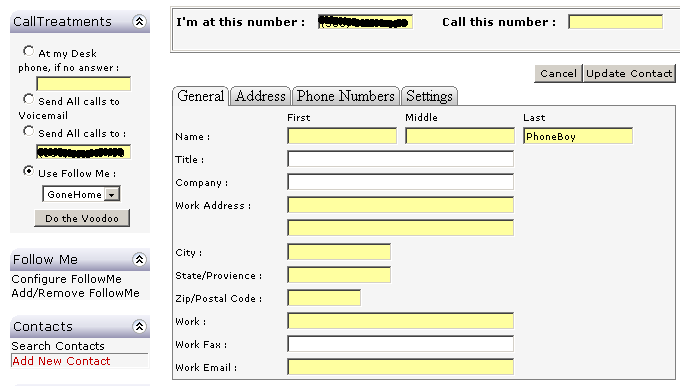
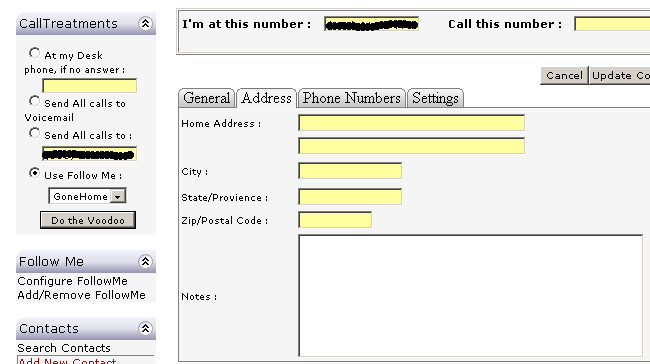
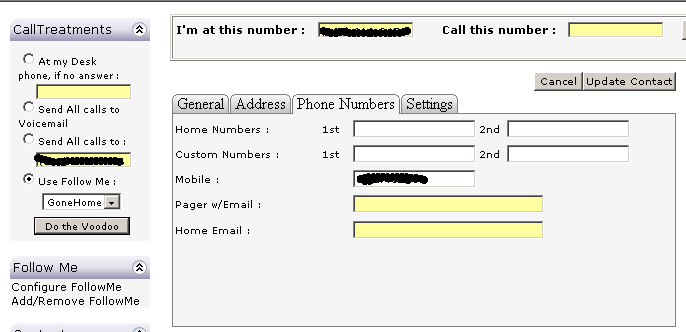
The screenshots are meant to give you a general idea of functionality.
- Address book
- Add/delete entries in your address book.
- Individuals in your address book are given Caller ID + name information when they call you in last-name, first-name format.
- Each entry can be part of a group, used in find-me, follow-me.
"Refuse" group means the call will never ring your line. Whether it
rings busy or to voicemail depends on your find-me, follow-me settings.
- Can establish speed dials for up to 20 of your entries (*01 thru *20)
- Search Contacts:

- Search Contacts -- Letter P:

- Edit Contact Details:
- Edit Contact Details -- Address:
- Edit Contact Details -- Phone Number:
- Edit Contact Details -- Settings:
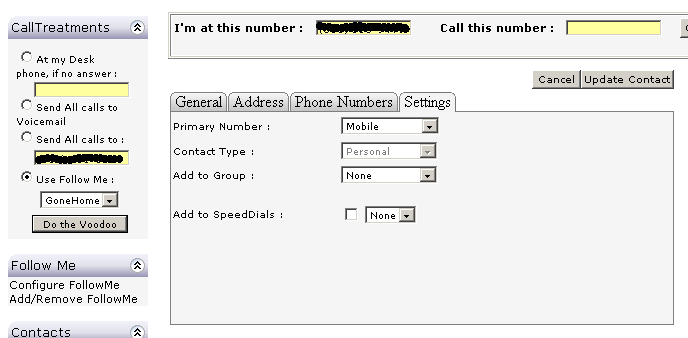
- Can set "traditional" call forwarding without using find-me, follow-me (see previous screenshots)
- Ring BVD line, no answer, forward to specified #
- Unconditionally forward to specified number.
- All calls to Voicemail (i.e. do-not disturb)
- Use a specified find-me, follow-me profile
- Can adjust find-me, follow-me settings.
- Several different find-me, follow-me profiles can be established.
- For each profile, you can establish a set of rules for the "groups" of users: VIP, Friends, Family, All others, and Refuse.
- Up to three seperate numbers for each group can be applied (except
refuse, which gives you "busy signal" and "voicemail" as options).
- VIPs could take the following path: mobile, bvd voicemail
- Family might take this path: bvd line, voicemail
- Friends might take this path: bvd line, mobile, bvd voicemail
- All others might be sent to Voicemail
- Refuse entries (in your address book) would be given a busy signal
- Number of rings for each number specified in your profile (it
would make more sense if it were configured in the find-me, follow-me
screens)
- Edit Find Me Follow Me screenshot
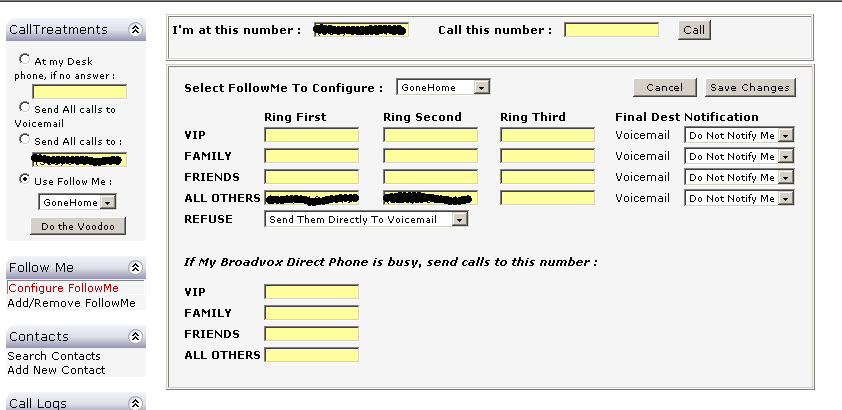
- Edit Number of Rings (in My Profile) -- works for both Find me, Follow me and with no forwarding:
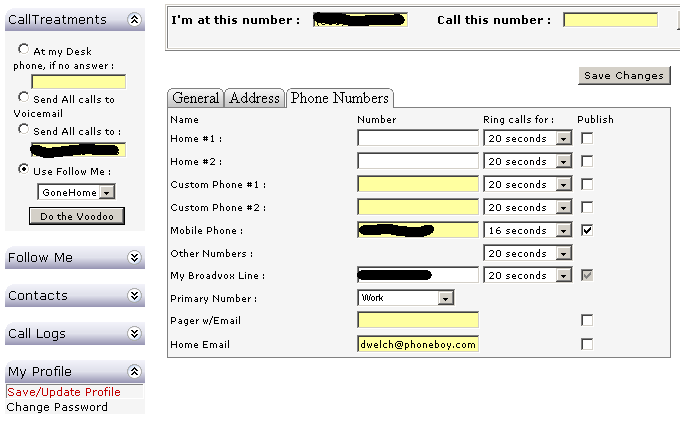
- Click-to-call: At the top of the page is where you can say where
you are, who you want to call, click the "Call" button, and you will be
called. Currently won't call my BVD line, but will be corrected
shortly.
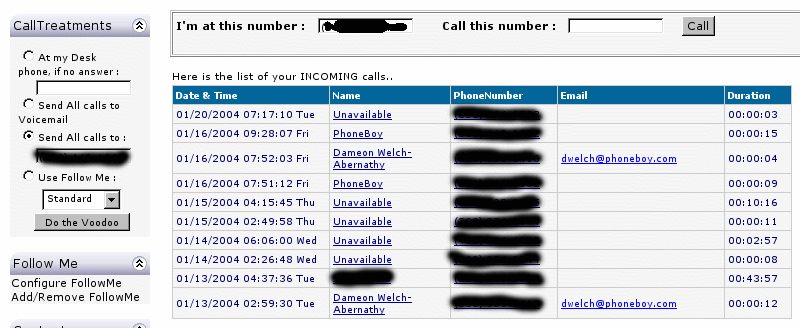
- Call logs are present in the My Phone tab. Shows the last 10
entries for inbound/outbound/missed calls. Can "click" on a phone
number to call that individual.
- Missed Call Log (Incoming/Outgoing calls similar):
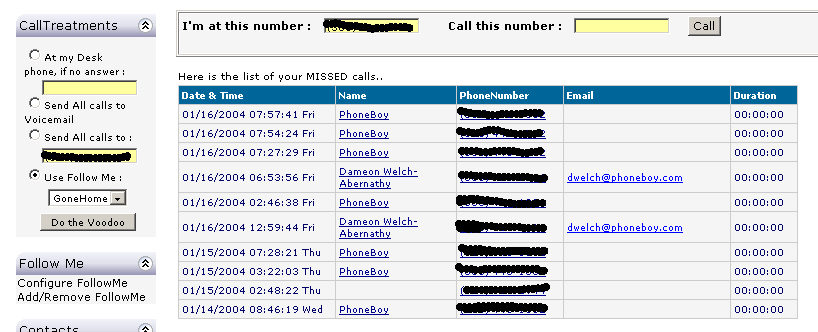
- Call logs now allow you to click on entries not in your address book to "add them" to your address book